Once you’ve downloaded your recording from Zoom to OneDrive, it is easily shared.
Find the File you want to share – you may want to share just the audio file or just the speaker view or the full gallery view, so check first! It’s a good idea to give all the files sensible names!
Highlight the file and right click over it.
Choose OneDrive Share

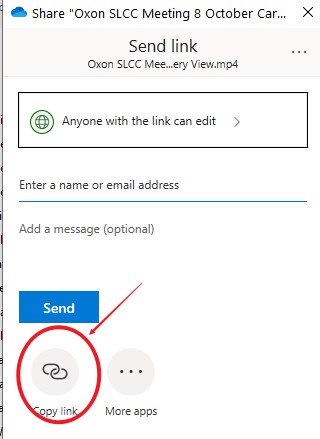
When the dialogue box below comes up click Copy link
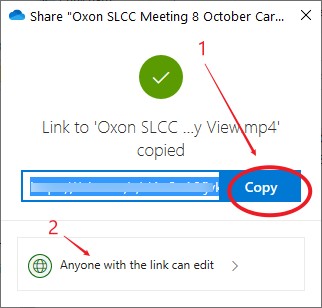
Click ‘Copy’ and then click ‘Anyone with the link can edit’
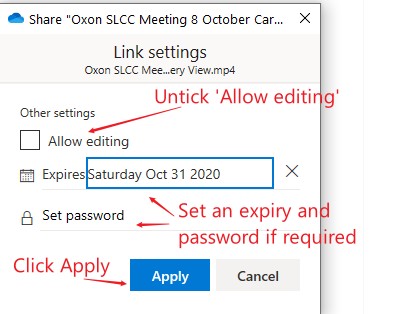
Check your options (I don’t allow editing for instance) and click Apply.
The link you have copied should be retained in your clipboard which can be shared as you like or emailed from OneDrive.